Tuesday, 25 November 2014

17 Online Marketing Tools to Boost Productivity and Make Your Life Easier

When I first started my career as a digital marketer, I remember I was a bit overwhelmed by the sheer number of projects, clients, and deadlines.

Today’s digital marketers often wear many hats, manage a slurry of different projects, both large and small, and can be responsible for most, if not all, of a client’s online marketing campaign, including social media, email marketing, content, search engine optimization, etc.
Not only do we have to stay on top of managing projects for our clients, but we must be diligent in marketing ourselves as well (Did you tweet yet today?  Respond to all those blog comments?  And how’s your Klout score coming along?).
All I can say is thank goodness for all those online tools that make my job easier.
Oh, you’re wondering what online tools I’m talking about?
Well, I’ve compiled a little list of all of the tools and software I’ve used at some point in my career that help me manage my day-to-day responsibilities.  Some are new and some have been around for a while, but my hope is that these tools will help make you more productive, and ultimately more satisfied, doing the best job in the world (am I biased? I think not…).

16 Online Marketing Tools that Make Life Easier

Project Management/Collaboration

mavenlink logo Inner 17 Online Marketing Tools to Boost Productivity and Make Your Life Easier
Mavenlink is the clear winner for our team because of its robust feature list, covering everything from managing tasks, to tracking projects (both internally and with clients), sharing and receiving files, and tracking time and expenses.
It’s basically an all-inclusive project management tool and it integrates with Google Apps, which is very helpful.
One of my favorite features of Mavenlink is that you can assign tasks to others (either clients or those within your organization), assign a deadline and see when they’ve started and completed said task.
It takes a little time to figure out but once you get the hang of it, it’s invaluable for the busy digital marketer (and clients seem to like it, too).
Basecamp has been around for a while, so you’ve probably heard of it already.  It’s another cloud-based project management tool but unlike Mavenlink, you can’t track your time or expenses.  And you can’t task other people.
But if you simply need  a client-based project management tool that allows you to share files and conversations on a project-by-project basis, Basecamp works well.
Trello is a good tool for individual, not client, project management.  Essentially, you create a “board” for each project, make lists to record your progress on that project and create a “card” that outlines each task.
It reminds me a tiny little bit of Pinterest but instead of photo pins you have task cards.  It’s easy to learn and easy to use.

Search Engine Optimization
optify 17 Online Marketing Tools to Boost Productivity and Make Your Life Easier
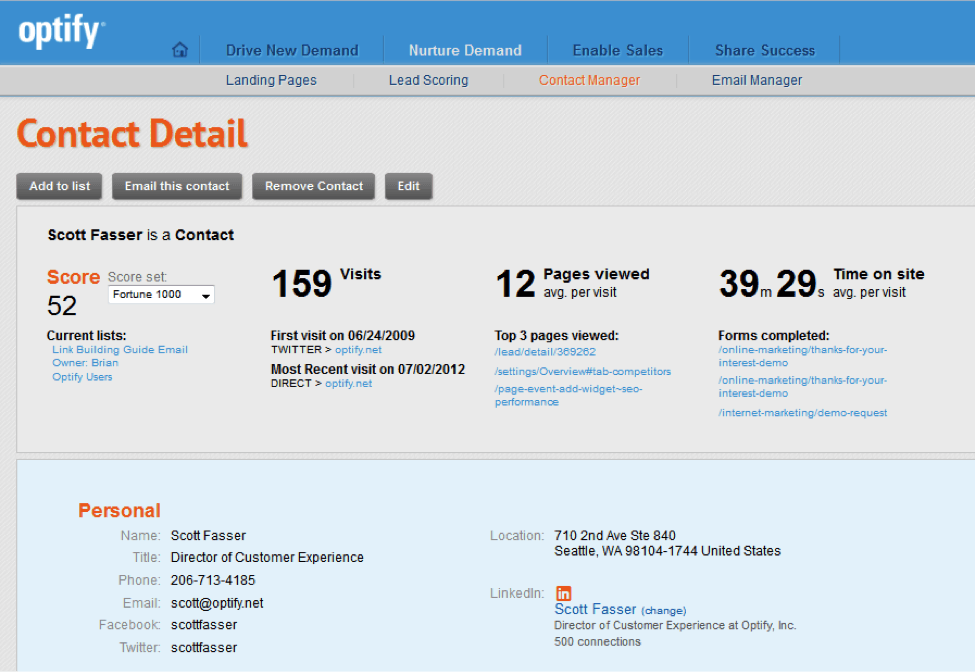
Moz is another SEO tool that’s super easy to use and navigate.  You can see how your keywords are ranking, compare keywords side-by-side to see how they compare against one another, and see which search engines are sending traffic to your site all from your dashboard.
The wonderful visual layout of the dashboard is, in my opinion, the best feature of Moz.

File Management
Dropbox Logo1 17 Online Marketing Tools to Boost Productivity and Make Your Life Easier
Dropbox allows you to access your files in the cloud, meaning you can be anywhere and still access a file you need.  I like it because it sort of acts like an online server, storing all your files (even really big ones) online so that all the members of your team can view and/or edit them.
This is especially helpful if your team is spread out in multiple offices or in different locations.  No emailing large files back and forth.  Just drop it in Dropbox.
I love love love Google Drive.  And I’ll say it again – I LOVE IT.
Our team uses this all the time to share resources, files and create and update spreadsheets.  Unlike Dropbox, in which you pay for the amount of storage space you can use, Google Drive is free.  And the storage limit is huge – 15 GB.  Did I mention it’s free?
Plus, an unlimited amount of users can use Google Drive, whereas Dropbox charges per user.  Drive also offers Google’s amazing search capabilities (handy for searching for files or folders) and a whole host of apps (like DocuSign).
Just upload and “share” a document with your team member or create a document right in the Drive.  The only caveat – you have to have a Gmail account in order to use it.

Social Media Management
hootsuite logo dashboard 17 Online Marketing Tools to Boost Productivity and Make Your Life Easier
If you manage multiple social media networks for multiple clients, HootSuite is a GREAT tool.  You can use the scheduler to pre-schedule your posts for a specific date and time and you can preview how it will look.
Using HootSuite’s “streams,” you can view all of your posts on all your networks in a visual format, which makes it super easy to keep track of what you are posting where.  You can also track your campaign analytics, a handy feature for those who are regularly reporting the success of their social media campaigns.
TweetDeck allows you manage your Twitter and Facebook accounts from one dashboard, similar to HootSuite.  It also updates you when a post goes live with a handy little box that pops up on the corner of your screen.
TweetDeck only works for Twitter and Facebook, though; it doesn’t integrate with other accounts like Google+ or LinkedIn.  Our team manages all the social networks for our clients, which is why we prefer HootSuite.

Visual Content Tools

piktochart logo 17 Online Marketing Tools to Boost Productivity and Make Your Life Easier
Are infographics a part of your digital marketing campaigns?  If they are, please please please don’t use PowerPoint.
Piktochart is a wonderful little program that allows you to create graphic design-worthy infographics.  It’s pretty user-friendly (the newer version is a LOT better than their older version, with less glitches) and you don’t have to be a designer to end up with a beautiful infographic.  It stores them all in your account so you can edit them at any time, which is great for those clients which require 60,000 changes.
Prezi is another great way to easily create visual content.  Prezi is a super cool presentation application that runs on the cloud.  If you want to create out-of-the-box content that displays information in an engaging, interesting way, try Prezi.

Organizational Tools
flexadex 17 Online Marketing Tools to Boost Productivity and Make Your Life Easier
Does anyone else have a drawer full of business cards?  Please tell me I’m not the only one.
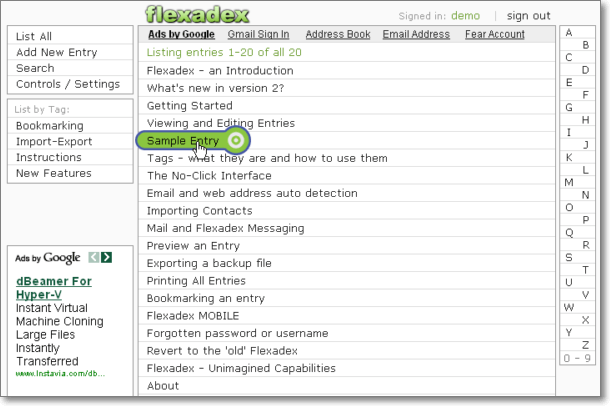
Flexadex is a great way to store important contact information for all your clients and colleagues online so you can look up someone’s information wherever you are.
If you manage lots of blogs, social media accounts, etc., it can be pretty annoying to forget or lose your passwords.  Passpack is great because you can store all your usernames and passwords in your online account and share them with your team.
Are you a list person?  I am.  I NEED lists.
Okay, maybe I don’t need them, but keeping organized with notes and lists keeps me from going crazy.
Evernote allows you to make notes with images, voicemails, and even website links.  You can label your notes, turn them into reminders and share them.  Bye-bye three ring binder.

Oh yeah, and we can’t forget about Google.

googlealerts 17 Online Marketing Tools to Boost Productivity and Make Your Life Easier
This is a handy little tool, courtesy of Google, that tells you when your brand is mentioned online.  You can even have it alert you when your competitors are mentioned.  Pretty helpful for knowing who’s talking about you on the Web.
Google Analytics is indispensable for monitoring the results of your (or your clients’) website traffic and where that traffic comes from.  The graph view is especially handy to visually see when your website traffic goes up and down so you can better understand how to capitalize on the actions that caused traffic to increase.
We use this all the time to keep track of meetings, video shoots, conference calls, out of office reminders, etc.  You can share the calendar with your team and your clients and best of all – you can have different calendars for different purposes (family, internal meetings, client meetings, etc.).  You can choose to see them all at once, or turn calendars on and off to see one at a time.
This is a fully integrated apps system that just makes doing business from a mobile device easier.  The apps include Gmail, Google Docs, Calendar (as discussed above), Google Sites (a web development tool), and Google Groups (for internal or private discussion forums).  The best part about Google Apps is that they all integrate seamlessly with each other.
Wondering how popular a certain keyword is?  Use Google Insights to see if your keywords are gaining or losing popularity over time.  You can search by region and find out what’s popular during certain times of the year, like the holidays.

Monday, 24 November 2014

How to Start a Digital Media Ad Agency

A digital media ad agency focuses on Internet advertising; this usually includes marketing through social networking sites with videos, graphics and copy. If you have experience in digital marketing, there are many advantages that make a digital media ad agency attractive. You don't have to be experienced in every aspect of the creative work since you can hire others to work for you. Start-up costs are low since you need only equipment and a small space to get started. Learn how to start a digital media ad agency to find out if this is a good fit for you.

Steps

  1. Start a Digital Media Ad Agency Step 1.jpg
    1
    Know social networking. Make sure you have a total understanding of social media networks and marketing. Be active on social networking sites, and use them for personal interaction as well as promoting your own business.
    Ad
  2. Start a Digital Media Ad Agency Step 2.jpg
    2
    Understand the digital industry. This includes mobile technology and computers. Know the current regulations and best practices for digital media, text messages, email and other messaging.
  3. Start a Digital Media Ad Agency Step 3.jpg
    3
    Talk to a lawyer or accountant about how to start a digital media ad agency.Find out how to structure your company and handle tax and financial aspects. Learn what type of liability insurance and other protection you need. Register your company with the IRS.
  4. Start a Digital Media Ad Agency Step 4.jpg
    4
    Speak to local officials. Find out what kind of licenses and permits you need to start a digital agency.
  5. Start a Digital Media Ad Agency Step 5.jpg
    5
    Decide whether to outsource or hire employees. Options for a digital agency include handling everything yourself, including creative production, or hiring others. You can run the administrative aspects of your business and hire others to do graphic, writing and other creative work.
  6. Start a Digital Media Ad Agency Step 6.jpg
    6
    Choose the right contractors or employees. Be sure to review references and portfolios carefully. Try to assign some test assignments to make sure your team can meet deadlines and produce quality results.
  7. Start a Digital Media Ad Agency Step 7.jpg
    7
    Get the right equipment. You'll need a computer with enough memory and disk space to create digital content, high quality digital cameras and video recorders, and software to create videos and graphics. If you choose to outsource production work, your equipment needs will be less demanding, but you'll still need a system to view content and keep in touch with your team.
  8. Start a Digital Media Ad Agency Step 8.jpg
    8
    Create a cutting edge image. Your website, logo, digital and paper marketing materials, and studio should project the right image. Your digital media company must be perceived as modern and in touch with current marketing, advertising and consumer trends.
  9. Start a Digital Media Ad Agency Step 9.jpg
    9
    Choose a location. If you are working with outsourced, remote employees or contractors, a home office should meet your needs. If you'd rather work with your team in person, find an office space with room for conference areas and workstations.
  10. Start a Digital Media Ad Agency Step 10.jpg
    10
    Teach about social media and digital advertising. One barrier you'll face in marketing your services is that many businesses aren't familiar with digital marketing or social networking. Offer informative articles and blog posts on your website. Speak about digital advertising at community events and conferences.
    Ad

Thursday, 20 November 2014

10 Tips on How To Kick-Start Your Digital Marketing Career

If you’re looking to break into the digital marketing industry, there’s no better time than now. According to the government, the digital economy is growing 10 times faster than the traditional economy which will result in a skills gap of 900,000 vacancies by 2015.

We’ve compiled our top tips for aspiring digital marketers who wish to kick-start their career today.
1) Eagerness to learn – The digital marketing industry is both fast growing and incredibly competitive. It’s easy for businesses to differentiate between candidates who have the willingness to learn, and who are along for the ride. This industry requires passion and a desire to succeed.
2) Stay Updated –You need to keep on top of industry news by following major digital marketing sites and influential people on social media. As the major players such as Google, Facebook and Twitter regularly tweak their paid advertising platforms and algorithms, you’re in for a wild ride if you don’t keep on top of the latest changes.
Here’s some recommendations on websites to get started -
Content – Hubspot
3) Networking – Surround yourself with people more talented than yourself. The people you meet will be your ongoing support network when you run into problems, as well as help to open doors to opportunities you might not have otherwise found.
Attend industry meetups and conferences in your area to nurture relationships with other digital marketers and enhance your skill set through in-depth workshops and presentations.
4) Personal Projects – Try out your own ideas and don’t just treat industry leaders’ opinions as gospel. Everything isn’t always black and white in the digital marketing industry with many grey areas  between best practice and what can actually get results for a business.
Every digital marketer should have personal projects to test out theories, try their hand at multiple disciplines (SEO, PPC, Social Media, Content Marketing etc.) and be able to take accountability for the success or failure of a project.
5) Learn the terminology – Digital marketers needs to be comfortable with acronyms such as PPC, SEM and SEO. They are all very different terms with a misunderstanding of them being a clear sign that you have a beginner’s skill set and need further training. The ability to analyse digital marketing campaigns and understand what elements worked or  not is dependent on your ability to understand industry jargon.
6) Build your personal brand – Fancy yourself as a digital marketing hotshot but you have no visible online presence? If you want to show to an employer that you can build their company’s visibility then you need to show that you can firstly build your own personal brand.
A strong online presence could potentially be the deciding factor between two candidates who have applied for the same position.
7) T-Shaped Marketer – As a term commonly used by Rand Fishkin of Moz, it refers to having a basic understanding of multiple marketing disciplines but specialising in one or two particular skills.
It’s not uncommon for companies to find candidates with a broad digital marketing skill set to be a valuable asset as there’s considerable cross over between the different channels. It will also make you better equipped for choosing a more specific path of focus that you can specialise in.
T-Shaped Marketer
(T-Shaped Marketer, Moz)
8) Get Nerdy – Digital marketing can often be perceived to be quite glamorous, but truth be told it’s often more technical and data driven then we would care to admit. You won’t be developing websites from scratch but you will be communicating your marketing strategy to a team of developers or designers who have a responsibility for incorporating your recommendations.
A basic knowledge of HTML and graphic design would help to make you stand out among the less technically minded candidates.
9) Metrics are King – Do you know your CPC from your CPA? If you want to set yourself apart in an interview, talk about the return on ad spend for a campaign you’ve run yourself. It’s easy to talk about an exciting creative concept you’ve helped to develop but the fact remains…money talks.
You really need to understand how each marketing channel has performed and what the key learnings have been.
10) Certification – If you really want to stand out from your peers in the industry, completing a certified digital marketing course will help. One of the issues facing the digital marketing industry is that there are no barriers to entry, meaning that anyone with a loose grasp of industry terminology can potentially get a position in a company.
As this industry matures, recruiters are becoming more savvy about what differentiates a candidate that can talk the talk, but maybe will be a costly mistake for the company.

30 Tips for Great Digital Marketing

It’s guest post day here at Duct Tape Marketing and today’s guest post is from Tara Banda – Enjoy!
Tips-great-digital-marketing-ducttapemarketingA man walks into a bar/restaurant/hotel/car repair shop. Chances are, he found it online. That’s because today’s consumers, 80% according to Google, rely more on the Web to find and choose local businesses.
So how do you make sure that these consumers find and choose your local business? By using a mix of these four strategies for great digital marketing: search advertising, webSite, search engine optimization, and social media. Here are 30 tips to get you going.

Search Advertising Tips

1. Identify and follow the rules of Bing, Yahoo!, and Google search ads before running your campaign as all have slightly different formats.
2. Optimize the URL displayed in your search ad so that it’s relevant to the product or service you are promoting.
3. Include target keywords in your headlines and copy that either match or closely match the keywords you bid on in order to boost the chance that your ad appears for those terms.
4. Write strong calls to action for your search ads that directly state what you want consumers to do. For example “Contact for a Free Estimate” or “Get a 50% Coupon.”
5. When using a click-to-call extension, consider using a tracking number so that you can identify and measure which ads perform the best.
6. Don’t spend precious text ad character count on your business name. It should already be in your optimized URL.
7. Do capitalize the first letter of major words in your ad. Don’t (read “NEVER”) go crazy with all caps.
8. Should you use correct punctuation in text ads? Yes! It just makes good sense.
9. Using trademarks in text ad copy is a no-no unless, of course, you own them. You can, however, bid on terms relevant to your business.
10. DUUA (don’t use unknown abbreviations). While it could pique the interest of a few searchers, why take that chance?

Website Tips

11. If you haven’t updated your website since 2010, do it now. A clean, modern design is key in digital marketing, plus it ensures that you meet today’s best practices and Web standards.
12. Make your website mobile-friendly! The 2014 Local Search Study results indicate that nearly 80% of local mobile searches end in a purchase. This is a big audience you shouldn’t ignore.
13. Accurately complete your site’s metadata (title tags, descriptions, alt text, etc.). Not doing so can negatively impact your visibility on SERPs.
14. A business blog is a winning addition to your website. It can help boost your site’s SEO, set you apart from the competition, and demonstrate your knowledge and expertise. It’s a win-win situation.
15. In order to get found by local consumers, you need to optimize your site with local information like your address and geo-targeted keywords.

Search Engine Optimization

16. Having a business blog is useless if you don’t regularly create and promote original and sharable content to help prove relevance and therefore rank in search engines.
17. Enable share buttons on your blog so that readers can easily post your content to their social media pages and drive visitors back to your website.
18. Optimize your Google+ Local page to help your business name, phone number, location, and even opening hours show up in Google Maps and Google’s local search results.
19. Much like Google+ Local, Yelp is platform to complete and post information about your business. More importantly, it helps feed Apple Maps with local business results.
20. Include geo-specific keywords, such as your city, neighborhood, and zip codes, in your website, blog, and even social media copy to appear in search results for these terms.
19. Don’t only promote blog posts once. Repurpose them as engaging images, quotes, or questions in order to generate additional views, shares, and subject relativity.
21. Getting backlinks from influencers and other industry-related websites that have already established credibility are great for building your own authority and driving more visits back to your site.
23. Enable Google Authorship to help build your personal brand. By establishing yourself as a subject matter expert, you can share your own content, generate more shares, and drive more website visits.
22. Since positive reviews rank in search engine results, generate positive reviews with high rankings to help persuade consumers to choose your business.
26. Once you receive positive reviews, promote them on your website and social media sites so that consumers who search for you business on social sites or local directories see the great things others say about your business.
25. Images can help sell your business, and they also rank in search engines. Don’t name your images “photo.jpg,” and instead name them more descriptively, add alt text, or captions on your website to help images show up in search results.

Social Media

27. Think, review, and review again before you make a social media post or comment. The ability to easily take screenshots makes it difficult to take back a social media mistake.
28. Since your employees also represent your brand, both in person and online, implement a social media policy that at the least permits them from sharing internal information.
29. Before you jump on a trending hashtag, make sure you know the origin of it. Not doing so can potentially cause social media regrets.
30. Like it or not, you “share” your brand on social media. And since consumers can start good and bad conversations about you, make sure to set up alerts that notify you of new mentions, comments, or messages.
NIVI INFOTECH is a brand-builder, copywriter, and social media marketer in Dallas, TX. She has worked with businesses of all sizes — from Fortune 500 companies to local non-profits to startups — to define their voice, promote their brand online through digital marketing, and build lasting relationships with fans and advocates.  Tara is a currently a Content Marketing Manager at ReachLocal. In her spare time, she is obsessed with learning recipes for international cuisines. You can learn more about her on LinkedIn or Twitter.